
Table of Contents
- Set Up Your Screen Before You Start
- The 20-20-20 Rule for Eyes: How to Actually Stick to It
- Best Monitor Settings for Eye Strain
- Symptoms of Computer Vision Syndrome to Watch For
- Blink More, Dry Eyes Less
- Habits That Reduce Eye Strain From Screen Time All Day
- When to See an Optometrist
- Frequently Asked Questions
Last Updated: 4 October 2026
Set Up Your Screen Before You Start
Most people try to fix eye strain with breaks alone. That misses the real cause. Your screen setup decides how hard your eyes work all day, so fix that first.
Getting your screen position right is a fast way to reduce eye strain from screen time. It takes five minutes and costs nothing.
Distance, Height and Screen Position
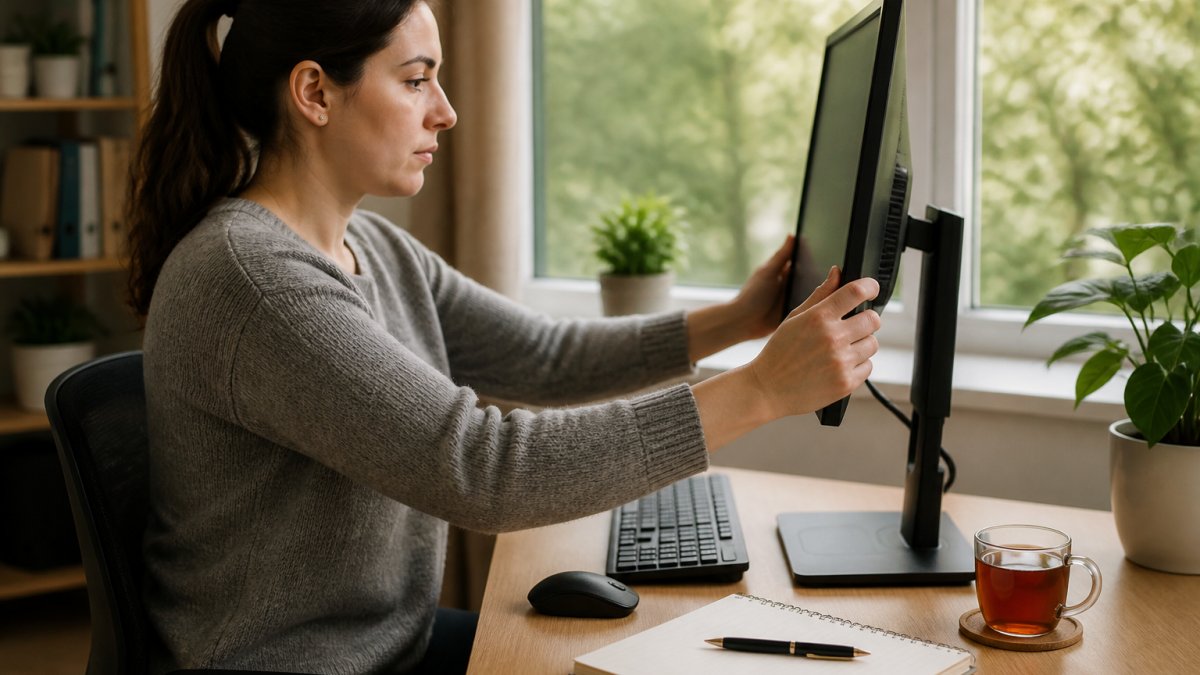
The top of your screen should sit at or just below eye level. Your eyes then look slightly down, which keeps more of the eye surface covered and slows moisture loss.
Keep the screen about an arm's length away. If you lean in to read, the text is too small, not the distance wrong.
- Screen top: level with or just under your eyes
- Distance: roughly one arm's length
- Tilt: back 10 to 20 degrees
- Position: straight ahead, not off to one side
Lighting and Glare Control
Glare forces your eyes to work harder than they should. A bright window behind your screen is the worst setup you can have.
Move the screen so windows sit to the side, not behind or in front. Use a lamp for paperwork rather than overhead light that bounces off the screen.
The 20-20-20 Rule for Eyes: How to Actually Stick to It
The 20-20-20 rule for eyes is simple: every 20 minutes, look at something 20 feet away for 20 seconds. It works because it relaxes the focusing muscle that stays tight during close work.
The problem is nobody remembers to do it. Most guides skip this part.
Here is how to make it stick:
- Set a repeating timer on your phone or watch
- Link it to something you already do, like finishing a page of work
- Look out of a window if you have one
- Blink a few times while you look away
The timer matters more than willpower. You will not notice the 20 minutes passing on your own.
Best Monitor Settings for Eye Strain
The best monitor settings for eye strain are lower brightness, higher contrast, and a warmer colour tone. Most screens ship far too bright for indoor use.
Brightness, Contrast and Colour Temperature
Match your screen brightness to the room around you. If the screen looks like a lightbox in a dim room, it is too bright.
- Brightness: similar to the wall behind your screen
- Contrast: high enough that black text looks black
- Colour temperature: warmer in the evening, cooler in daylight
- Text size: bump it up rather than leaning closer
Many devices now offer a night mode that shifts the screen warmer after dark. Turn it on.
| Setting | What to Change | Why It Helps |
|---|---|---|
| Brightness | Match the room | Cuts glare and squinting |
| Contrast | Keep text sharp | Reduces focus effort |
| Colour temperature | Warmer after dark | Less harsh blue light |
| Text size | Increase it | Stops you leaning in |
Symptoms of Computer Vision Syndrome to Watch For
The symptoms of computer vision syndrome include tired, sore or dry eyes, blurred vision, headaches, and neck or shoulder ache after screen work. These signs point to eye strain rather than a serious condition.
Watch for:
- Eyes that feel gritty or dry by mid-afternoon
- Blurred vision that clears when you look away
- Headaches behind the eyes or at the temples
- Aching neck and shoulders from leaning in
If these fade when you stop using screens, your setup and habits are the likely cause. If they do not fade, book an eye test.
Blink More, Dry Eyes Less
Blinking spreads a thin layer of tears across your eye. When you stare at a screen, you blink far less often, and your eyes dry out.
Try these to keep blinking:
- Follow the 20-20-20 rule, which prompts a blink
- Keep a bottle of water nearby as a reminder
- Use a humidifier in dry rooms
- Lower your screen so your eyes stay partly closed
Habits That Reduce Eye Strain From Screen Time All Day
Small habits across the day do more than one big fix. Build these into your routine and the strain drops.
- Take a short break every 30 to 60 minutes
- Stand up and look across the room
- Keep your screen clean, since smudges blur text
- Use a larger font instead of leaning closer
- Save long reading for paper where you can
If you work from home, check your setup in both your daytime and evening spots. Many people have one good desk and one bad sofa.
When to See an Optometrist
Book an eye test if symptoms last more than a couple of weeks, if your vision blurs often, or if headaches keep coming back. An optometrist can check whether you need glasses for screen work.
Adults should have an eye test at least every two years, even with no symptoms. Tell the optometrist how many hours you spend at a screen. That shapes the advice you get.
We stock simple tools that support these habits, from digital measurement aids to wellness gadgets that make a desk setup easier to live with. They help, but the habits above come first.
Frequently Asked Questions
Does the 20-20-20 rule actually work for eye strain?
The 20-20-20 rule is a widely recommended habit: every 20 minutes, look at something about 20 feet (roughly 6 metres) away for 20 seconds. It gives your focusing muscles a break from close-up screen work and encourages blinking. It is not a cure, but it is a simple, free way to reduce eye strain from screen time. Pair it with good monitor settings and regular eye tests for the best results.
Are blue light glasses effective for reducing eye strain?
Evidence on blue light glasses is mixed. Many people find them comfortable, but research has not shown they fix the main causes of screen-related eye strain, which are prolonged close focus, reduced blinking and poor screen setup. If you want to try them, treat them as one small part of a wider routine: adjust your monitor settings, follow the 20-20-20 rule and take regular breaks.
How can I adjust my monitor settings to reduce eye fatigue?
Match screen brightness to the room around you rather than setting it at maximum. Raise contrast so text is crisp against the background, and use a warmer colour temperature in the evening to cut glare. On most laptops and monitors you will find these controls in the display settings menu. If you cannot see text comfortably at arm's length, increase the font size rather than leaning closer.
When should I see an optometrist for screen-related eye discomfort?
Book an eye test if headaches, blurred vision, dry or gritty eyes or neck and shoulder pain persist despite better screen habits and regular breaks. An optometrist can check whether an uncorrected vision problem or an outdated prescription is adding to the strain. In the UK, free NHS eye tests are available to certain groups, so check your eligibility when you book.
Eye strain builds slowly, and it rarely fixes itself while you keep the same setup. The steps above cut the daily effort your eyes make, and small tools make those habits easier to keep. Cooperrite.com offers practical wellness and desk gadgets designed to simplify your routine, with digital measurement tools and home convenience products that slot into the habits you have just read about. Get started with Cooperrite.com and build a screen setup your eyes can live with.


